When people plan a company video, most of the attention goes to the camera. Yet sound is often what decides whether viewers keep watching. A slightly soft image is easy to accept, but echo, hum or a voice that is hard to hear quickly makes a video feel amateur. Getting audio right is mostly about choosing the right microphone and preparing the space.
Why the built-in microphone is not enough
Cameras and phones have microphones, but they sit far from the speaker and pick up everything in the room: air conditioning, footsteps, traffic and the echo from bare walls. The further the microphone is from the mouth, the more of the room you hear and the less of the voice.
The simplest rule for better sound is to get the microphone closer to the person speaking.
Choosing the right microphone
Different types of microphone suit different videos.
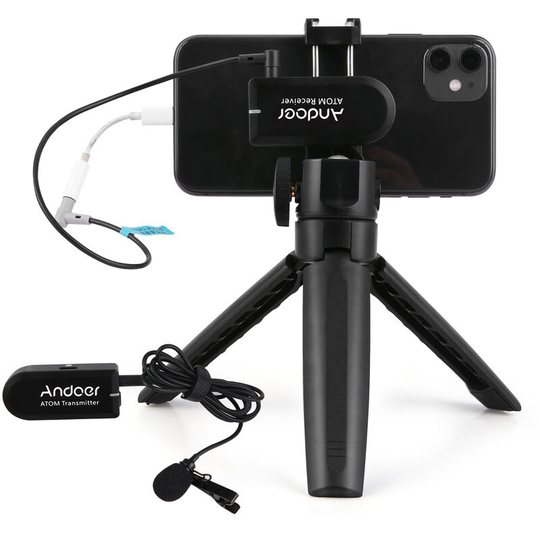
- Lavalier (clip-on) microphones attach to a collar or shirt and sit close to the mouth. They are a good choice for interviews, presentations and talking-head videos. Wired versions are affordable, while wireless systems give the speaker freedom to move. A kit like this wireless lavalier microphone system works with both cameras and phones.
- Shotgun microphones mount on the camera or a boom pole and pick up sound mainly from the direction they point. They are useful when you do not want a visible microphone in the shot.
- USB microphones are designed for computers and suit screen recordings, webinars and voice-overs recorded at a desk.
For most business videos with one or two speakers, a lavalier is the easiest way to get clean speech. You can browse more microphones and accessories in our equipment category.
Preparing the room
Even a good microphone struggles in a noisy or echoing space. A few simple steps help a lot.
- Choose a quiet room. Avoid rooms next to kitchens, lifts or busy corridors, and ask colleagues nearby to keep it down while you record.
- Switch off noise sources. Fans, air conditioning and humming fridges are easy to forget, but microphones pick them up clearly.
- Soften the space. Rooms with glass walls and hard floors create echo. Curtains, rugs, sofas and even a few coats hung nearby absorb reflections.
- Silence phones. Put phones in flight mode, including the one you may be recording with.
Recording tips on the day
- Place the lavalier correctly. Clip it about a hand’s width below the chin, and keep it away from necklaces, scarves and jacket zips that can rub against it.
- Check the levels. Ask the speaker to talk at their normal volume and adjust the input so the loudest parts do not clip. It is easier to raise a quiet recording later than to repair one that distorted.
- Wear headphones. Listening live is the only reliable way to hear rustling, hum or a loose cable while you can still fix it.
- Record room tone. Capture 20 to 30 seconds of silence in the room. Your editor can use it to smooth out cuts.
- Do a test take. Record a short clip and listen back before the full session.
Common audio mistakes
- Relying on the camera microphone from across the room
- Recording in an empty room with hard surfaces
- Setting levels so high that the voice distorts
- Not checking batteries in wireless transmitters and receivers
- Hiding a microphone under clothing without testing for rustle
Clear sound makes a message easier to follow and more pleasant to watch. Spend a little time on audio before you press record, and the rest of your video production becomes much easier.