The price comes from the shop and can change. Check price, size and delivery on the shop's page before you order.
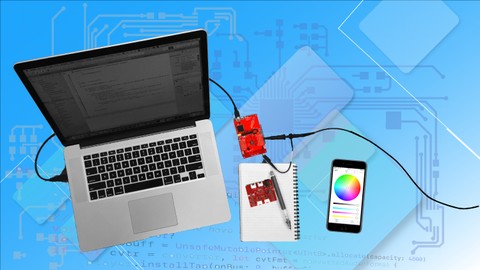
This course leads students through the complete process of designing and building a Bluetooth-enabled iOSapplication that connects to an embedded ARMCortex M3 micro-controller running a real-time operating system. The embedded micro-controller is used to drive up to two strings of 60 RGBLEDs (120 LEDs maximum); the IOSapplication connects to the micro-controller to control the colour of the LEDs. An ambient light sensor provides the means to control the on/off state of the LEDs based on the light level. The course avoids the use of pre-supplied libraries and drivers thus exposing students to deep detail on how the technology actually works. For iOS, using the Swift programming language, students design and implement a state-machine approach for the Bluetooth interface as a component of a model-view-controller (MVC) application architecture. The embedded micro-controller application is developed using the C programming language running on top of the TI-RTOS real-time operating system. To design the LED driver code, students start with the LED data sheet and, from this, develop the requirements for the micro-controller’s Synchronous Serial Interface (SSI)and Direct Memory Access (DMA) peripherals both of which are programmed at the register level. The ambient light sensor provides students with the opportunity to learn how the micro-controller’s Analogue-to-Digital Converter (ADC) peripheral works and how it is programmed. The course is appropriate for students with a basic understanding of C and Swift; students will need to have a functional iOSprogramming environment using Xcode.