The price comes from the shop and can change. Check price, size and delivery on the shop's page before you order.
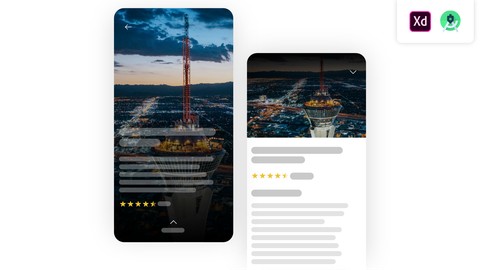
We are going to design and create application named ‘Las Vegas Views’ , which allow users to find, get more information, and locate the most popular and beautiful views to visit in Las Vegas. The application will have 3 screens. We are going to start this course by creating application design in Adobe XD, then I’m going to show you step by step how to implement that design in Android Studio XML, and we are going to create amazing animations on each and every screen. For this course you only need Adobe XD and Android Studio installed on your PC, both of those softwares are FREE to download, you don’t have to worry about that. Also in this course you’ll find all the necessary files for you to start working on a real world project. I’m going to include not just the project files but the colors which I used in this course, as well as the list of most common shortcuts I used both in Adobe XD and Android Studio. Basically no prior knowledge is required, because I’m going to walk you through this course step by step, however the basic knowledge of Adobe XD and Android Studio environment is better.